How to solve GitHub Action workflow restriction when configuring CI/CD in Umbraco Cloud
Setting up CI/CD for Umbraco Cloud using GitHub Actions is usually straightforward. The official guide is solid and easy to follow along with.
Until it is not.
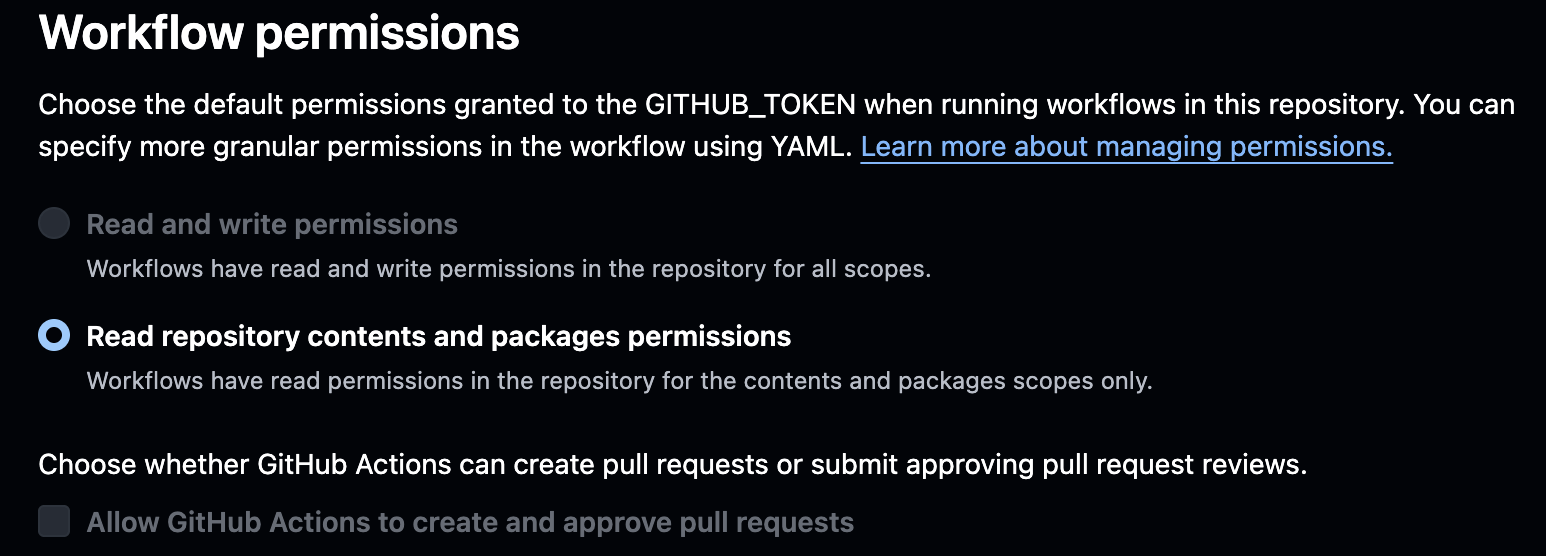
If your organization has locked down GitHub Actions Workflow permissions at organizational level, you might hit a blocker when the guide tells you to enable “Read and write permissions” for GitHub Actions.
Why this problem occurs
Many organizations, such as ours, restrict GitHub Actions workflow permissions to read-only by default. This is often enforced at the organization level for security reasons.
The Umbraco Cloud CI/CD setup requires write access because:
- Umbraco Cloud can perform automatic upgrades.
- The cloud-sync action then need to commit these changes back to your repository.
The official Umbraco Cloud CI/CD guide for GitHub Actions does not explicitly mention this scenario. It assumes you can enable read and write permissions globally.
If Actions only have read access, the workflow will fail when it tries to push updates. You cannot change the repository setting because the organization policy overrides it, and you might experience this error message:
    remote: Write access to repository not granted.
    fatal: unable to access 'xxx: The requested URL returned error: 403
The solution: Set permissions at workflow level
Instead of enabling global “Read and write permissions”, you can explicitly grant the required permission directly inside your workflow file. Add this to your .github/workflows/cloud-sync.yml at line 20:
    permissions:
        contents: write
This way you are not changing your organizational-level policy. You are only granting the specific workflow the minimal required permission needed for this specific task.
And that's it. Hope anyone can benifit from this very small, but important, update if you're in a similar situation.
Cheers friends! ❤️